Mortar 0.3.9 · October 19, 2026
Errors explained, builds auto-install
Errors name the method that threw and the mods patching it, and your mod's builds install themselves.
What changed in 0.3.9
New
Problems and diagnostics
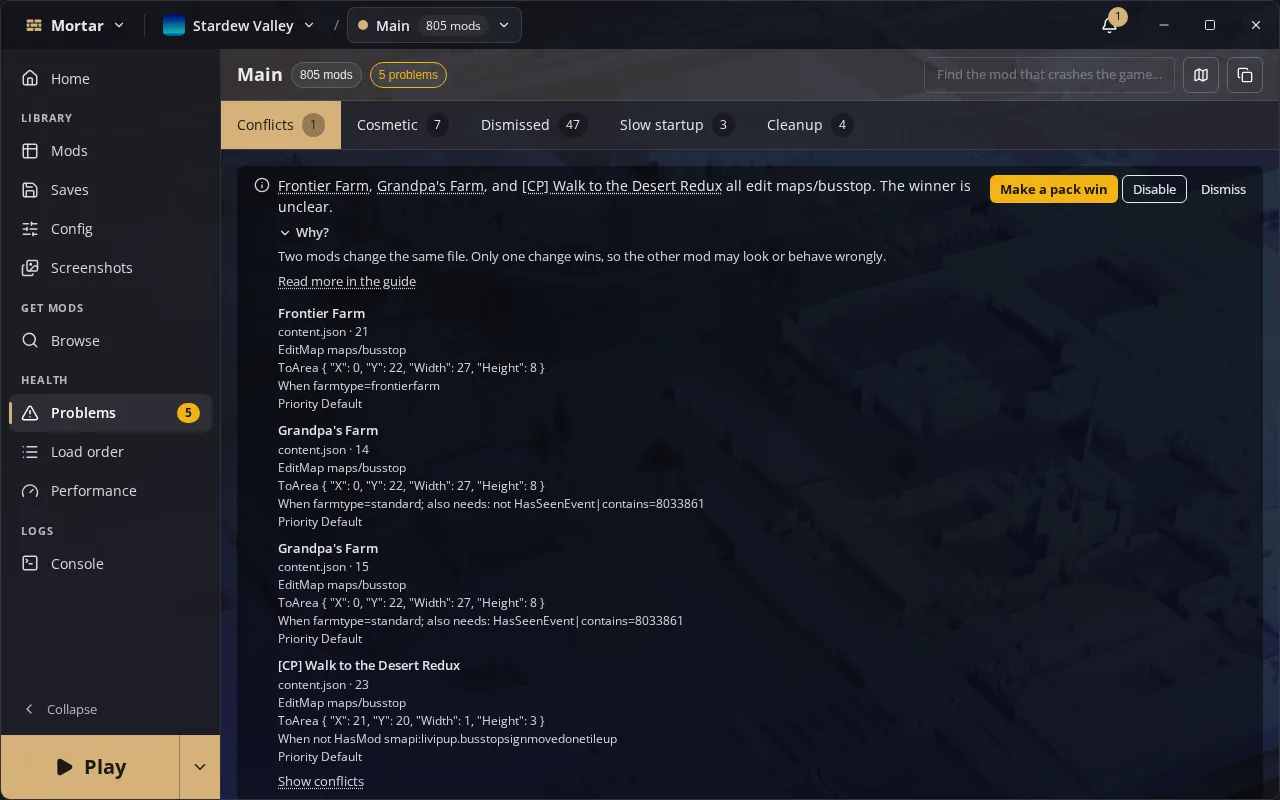
- An error a mod hit while running names the method it was thrown in and the other mods that patch code on that path
- Errors from a run that went on are listed once under Errors while running, apart from mods that failed to load, and are not counted as problems
- A File conflicts tab naming the files one package wins from another, with Make … win
- A mod whose manifest is missing or broken shows as Damaged, with Repair
- A warning when a mod's path is too long for a Windows game
- The files a sync replaced, with Restore and Delete all
- Last run rows, deprecated mods and compatibility-list rows can be dismissed
- The console shows an error repeated over and over once, with a ×N count
Mods and browsing
- One card for a mod its author lists on several sites, with re-uploads marked
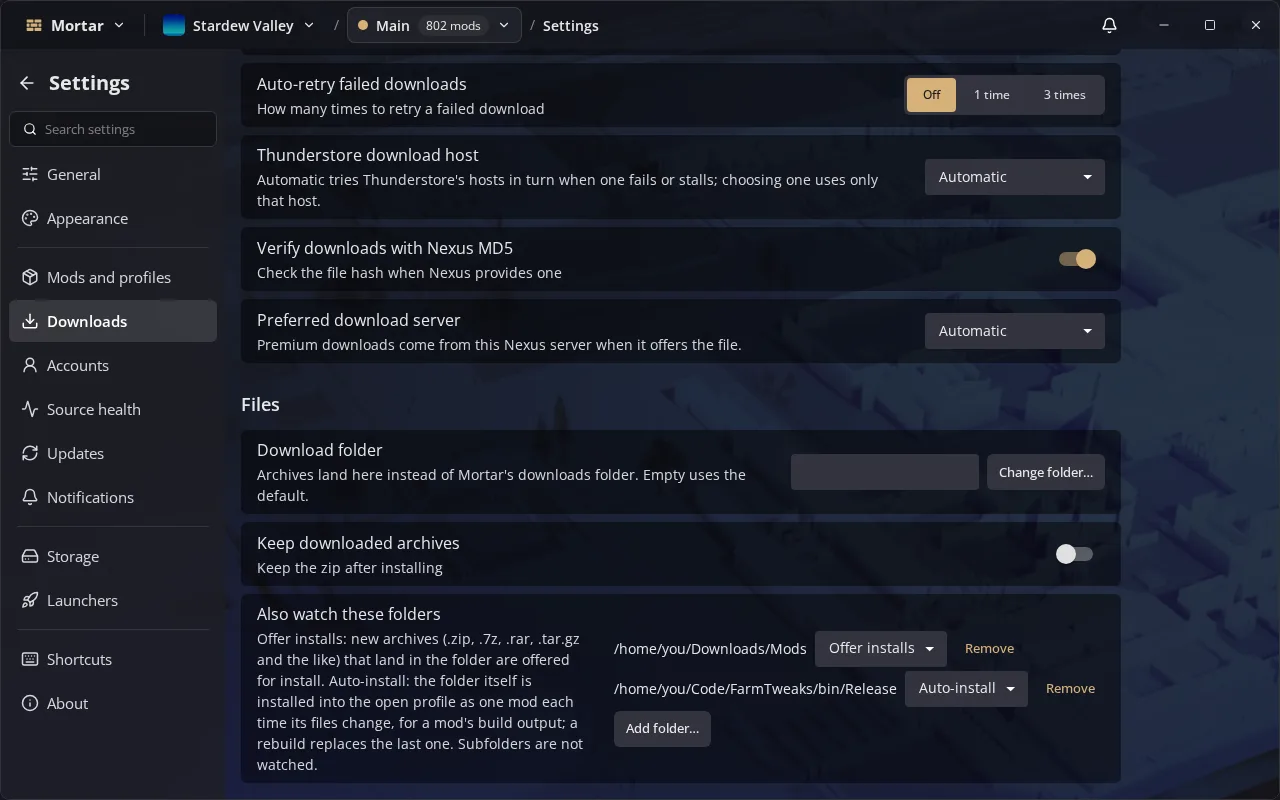
- A folder set to Auto-install puts its contents into the open profile each time they change, for a mod's build output
- The first download from GitHub or itch.io says once that nobody moderates the site, and so does importing a profile with such mods
- Make a group, or Add to group, brings along the mods the chosen ones need
- Implicit mods nest under the mod that needs them, folded into a +N libraries chip on cards
- Category pickers show +N for chips that do not fit, and noisy categories start excluded
- Each game keeps its own include, exclude and sort; Browse sorts by most downloaded by default
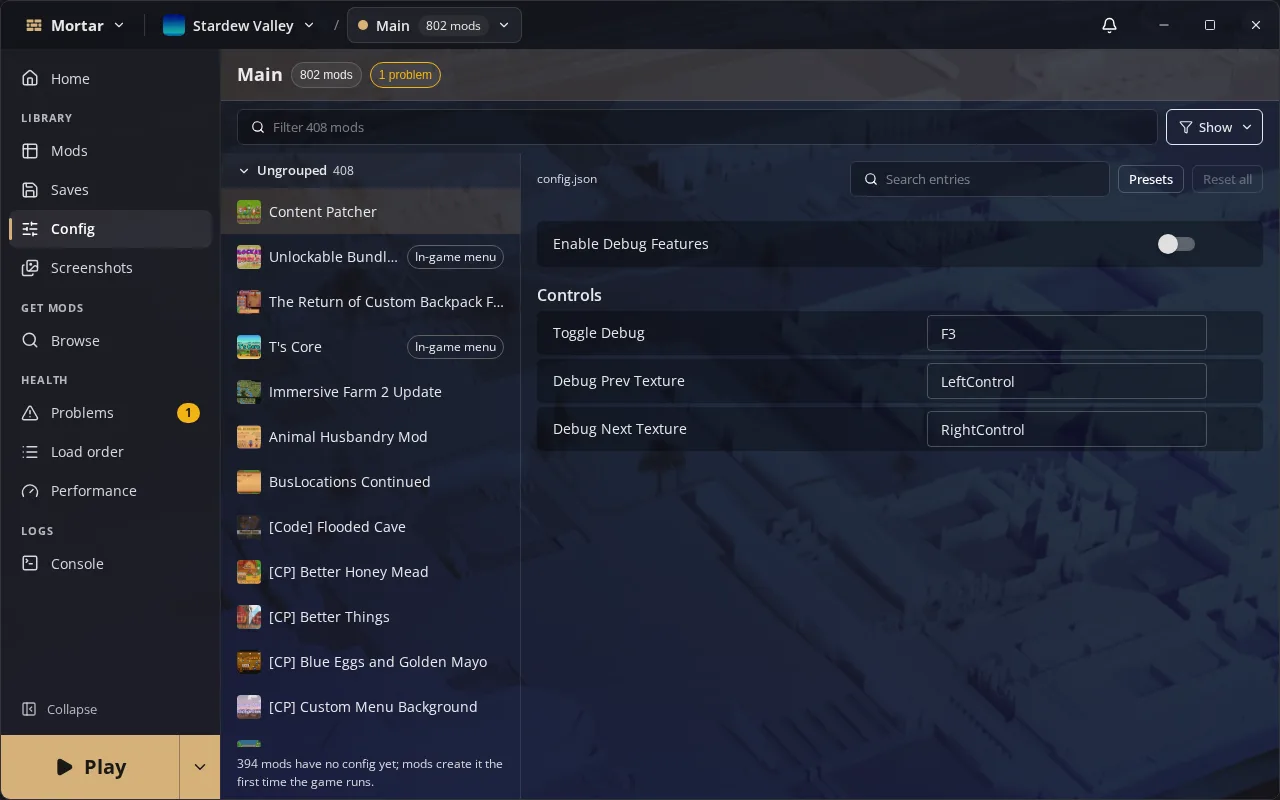
- A long config file lists its sections down the right, and an option centres each setting's control
Games
- 43 more Thunderstore games on loaders Mortar drives
- A game no store tracks takes the folder you choose; Voices of the Void on Shimloader
- Game Select sections fold away, and Hide this game moves to the row's right-click menu
- The game switcher shows each game's art, profile count and when it was last played
Profiles and launching
- The Play menu holds Instances and Delay, with Launch all copies; on a store launch it offers Direct launch
- New profile can start from a saved group
- Restore from a file sits beside Back up in the profile menu
- Saves open as cards
- Favourite stars and source marks sit on each mod's picture
Changed (2)
- Stacklands, Core Keeper and Wrestling Empire leave the catalog: their Thunderstore pages send modders to the Steam Workshop or mod.io
- Game Select rows keep one height; the hover grow and its setting are gone
Fixed (12)
- Add to group from a mod's menu opens its dialog and takes every selected mod
- Use Direct launch in the Play menu takes effect at once
- A save only stops a launch for the mods it names, and Play anyway stops asking about them
- Before you play counts missing mods once and fits its actions on one row
- Lethal Company plugins that loaded and then logged errors are no longer reported as failing to load
- The crash search keeps a library on while a mod that needs it is on, and first checks the crash happens at all
- Importing profiles from other managers opens the game on the first one, and does not import the same profile twice
- Opening a config file while another mod's config still loads no longer leaves the pane empty
- The Mods and Config tabs do much less work when you switch a mod or pick a file
- A save is not backed up twice in the same moment
- The tray shows Mortar instead of Wails
- Profile names over bright cover art stay readable