Mortar 0.3.14 · October 28, 2026
Make your own mods
A Develop tab that makes, builds, tests and publishes your own mods, sources you can switch off, a Play menu per game in the tray, and a long list of fixes.
What changed in 0.3.14
New
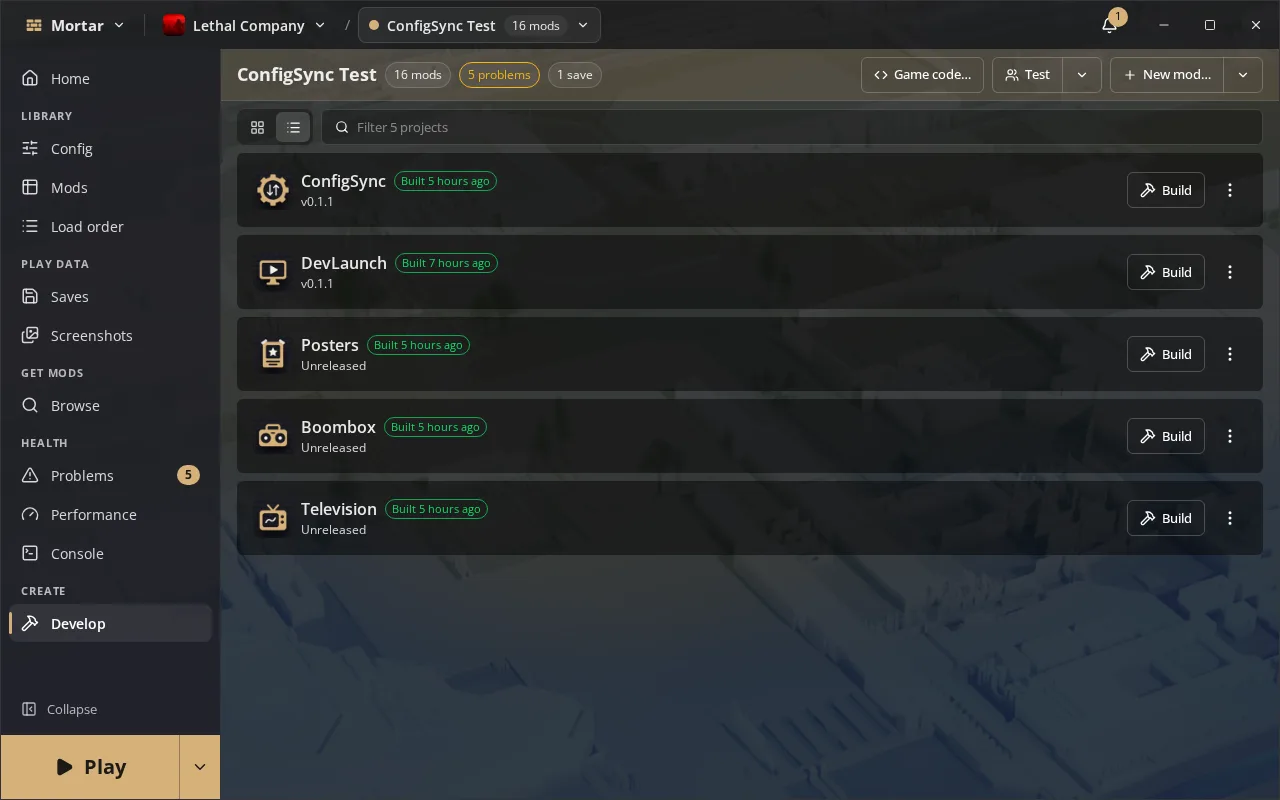
Develop
- A new Develop tab for making your own mods, with grid and list views and a filter
- New mod is a step by step wizard: pick the kind of mod, name it, say what it does, choose a license and its dependencies, and Mortar makes the project from the game's template and its own development profile
- New mod picks your GitHub account from the ones you are signed in to, checks the name is free, and warns when no installed .NET SDK fits the template
- Suit and sound mods need no SDK: their project adds your files instead of building
- New mod can start the development profile with the open profile's mods
- Add an existing project folder or clone one from GitHub; a project you did not make runs nothing until you trust it
- Each project card shows the mod's icon, version, build state, when it was last built, whether its files changed since, and its git branch and unpushed work
- Build, or Build on save to rebuild as you edit; build errors read plainly
- Test starts the game with your mod, one copy for client-only mods and two or more for multiplayer, laid out in a grid on screen, with the copies meeting in one game for Lethal Company
- Test copies keep their own saves, so a test never writes your real game's saves
- Start for debugging opens the game with its debugger listening
- Release drafts what changed since the last version, then tags and publishes it, through GitHub when the project has one
- Upload to Thunderstore packs and publishes a mod with your team's token, kept in the system keyring, and can upload the latest release again after an interrupted upload
- Pack warns while a mod still carries the template's icon
- Dependencies are required or optional, added from Browse or the wizard, and changed later in Edit details
- Game code searches the game's code, shows any type as C# or IL side by side, finds where a method is used, and copies a hook for it
- Open in editor opens a project in VS Code, VSCodium or Rider, whichever is installed
- A card shows your mod's start-up time and frame cost from its last measured run, and Show log opens its own log in the Console
- Remove from list can also move the project's folder to the trash, warning first about unpushed or uncommitted work
- Mods you develop group under In development in Mods, and updates are not offered for them
- The Updated column shows when a mod in development was last built
Mods
- Disable asks about the mods that need the one you switch off and the libraries only it needed; Undo switches them all back
- A switched off mod's config is set aside and comes back when you switch it on again; removing a mod sets its config aside too, so Undo or adding it again brings it back
- A mod's update badge opens Update review on that mod
- A mod's menu groups its version actions and its organising actions, with Update in all profiles beside Skip
- Update review and the patch-day sweep warn about mods on the game's known-broken list
- Extra mods folders install their mods into a profile you pick per folder, and again whenever the folder changes
Browse
- Mods known to be broken are marked in Browse and import previews, with the reason and a mod to use instead, and adding one asks first
- A known-broken mod's working replacement installs in its place and counts for mods that need the original
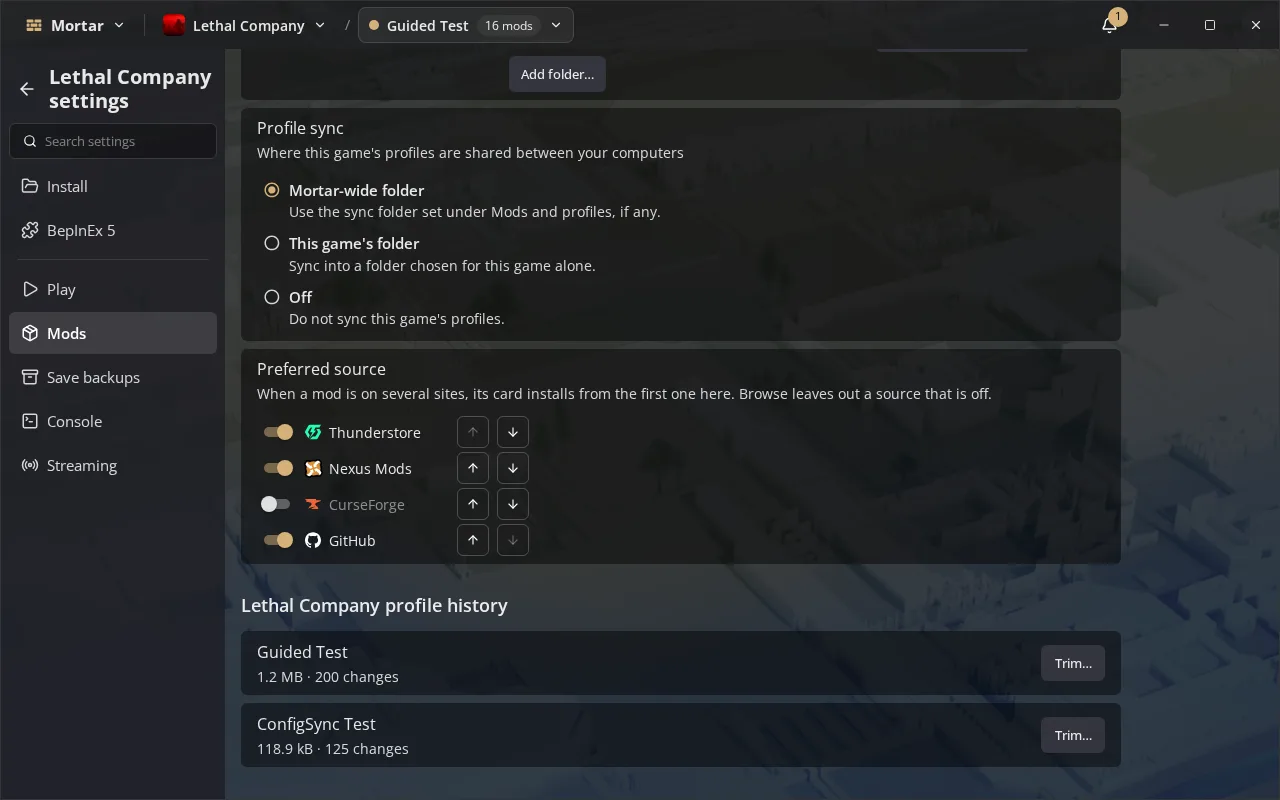
- Preferred source can turn a source off for a game, so Browse leaves it out
- Card stats are small icons, and a possible re-upload is a warning mark with its note in the tooltip
Play
- Play can start SteamVR or the ALVR dashboard before the game, per game or per profile
- The Sims 4's DirectX 9 build counts as the game running
Config
- The config editor marks settings the host enforces or recommends through ConfigSync, and shows the host's value while you are in a game
- Save host's values keeps the host's ConfigSync values as your own once the game closes
Console
- Right-click a line to copy it or hide messages like it, from one object or from every object
- Each game's known noisy messages are hidden by default, and you can show any of them again
- The levels a game's Console opens with are ticked one by one
- Copy takes the whole line with its method and object, and right-clicking a selection copies every selected message
- Hidden messages are listed by where they come from, in a section of their own
Settings
- A game's settings page switches between every profile's values and the open profile's own, showing each override beside the game's value
- A setting another one makes moot is disabled and says what to change first
Saves
- A save's missing mods line can be dismissed until the mods it wants change
- A backup's Keep forever is its own pin button
Tray
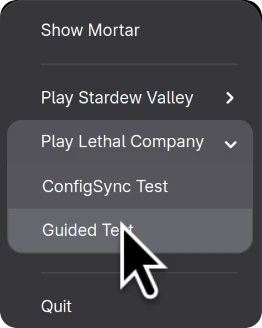
- Recent profiles sit under a Play submenu per game
Changed (12)
- Built on Wails 3.0
- Edit profile has tabs; a profile's overrides, loader options and startup options are edited on the game's settings page instead
- Dialogs, menus and the sidebar are regrouped and tidied, and the sidebar fits a short window without scrolling
- The Play menu's copies section is gone: Develop's Test starts linked copies, and Instances in a game's Play settings still starts several
- Touch ripples are off unless you turn them on
- Removing or switching off a mod takes its files out of the game at once instead of at the next launch
- Many screens, menus and dialogs redraw far less, and History and notifications load older entries as you ask for them
- What is new for a Mortar update shows formatted text
- In-game performance measuring shows one clear state and live results
- Notifications show the latest changes with All changes for the rest, and History draws the newest entries first
- Config sits above Mods in the sidebar, every badge on the rail wears the accent colour, and a profile's notes render as Markdown
- Load order items read Load earlier and Load later
Fixed (36)
- A catalog fetched after Mortar starts reaches saves, Problems, the tray and the game list
- Every Browse page shows each mod once and fills the screen
- A custom download folder is safe: Mortar clears only its own finished downloads there, never your other files
- Switching games or profiles quickly no longer shows the previous one's runs, reports, versions or profiles
- Moving a folder to the trash works across drives
- A failed catalog check never falls back to a cached catalog older than the one Mortar ships with
- Nested mods sit beneath the mod that needs them even when it is in another group
- Several copies of a game each keep their own log, so their errors count
- On Linux a Steam game started directly, for several copies or a debug start, runs through Proton in Steam's prefix
- Merging profiles carries Thunderstore packages, and a merge that fails takes back what it added
- Cleanup never offers to remove a mod you develop, built or published, and no longer counts toward the Problems badge
- Profiles added, renamed or deleted from the command line, a share or sync show in the window and the tray at once
- A missing Thunderstore requirement links to its page and can be added in one click
- Duplicates found after a run open the same chooser as Problems, and each copy names where it came from
- Moving the data folder keeps profiles you moved to another folder
- The backup before Play or an update holds the profile's own saves, never another profile's
- Removing a mod keeps its settings for Undo, and a mod named BepInEx never takes the loader's own settings with it
- A damaged Nexus cache file no longer stops Mortar from starting
- FOMOD installers packed in a subfolder or naming files in another letter case install
- Heroic's GOG games are found, and so are games and Steam libraries behind a symlink
- Find the cause no longer blames a framework when one of its content packs crashes the game
- All sources sorted by downloads or by updated no longer skips mods or shows empty pages
- Play from a Steam shortcut no longer waits forever when the graphics question is due
- Bug reports and diagnostics files write your home folder as ~
- Command palette actions work from Settings and the other full pages
- The Flatpak finds r2modman and Gale profiles in their usual folders
- Find the cause asks before it starts relaunching a crashed game
- Removing a custom game, unpairing a computer and restoring over saves ask first
- A retried LAN transfer updates the profile you chose, and a sender that goes silent is retried
- Edit profile keeps what you typed when a save is refused
- Config cleanup spares a config an enabled mod still uses
- Backups reuse the newest one while your saves have not changed
- A SMAPI installer runs only when it matches the hash GitHub publishes
- Imported settings, packs and shared profiles can no longer set programs, folders, launch prefixes or turn protection off, and shared changes carry text and data files only
- Signed catalogs and lists cannot be rolled back to older ones, even after clearing the cache
- Nearby sharing checks and limits what other computers send, and your Nexus key stays out of logs