Mortar 0.3.10 · October 20, 2026
Import anything, mod Cities: Skylines II
One Import for links, collections, r2modman and Gale codes; Paradox Mods for Cities: Skylines II; far less memory at idle.
What changed in 0.3.10
New
Importing and sharing
- One Import dialog for every source: a link or code, a file, another mod manager, or the game's Mods folder, each ending in the same preview
- Gale share codes import, in the short form and the older 22-character form
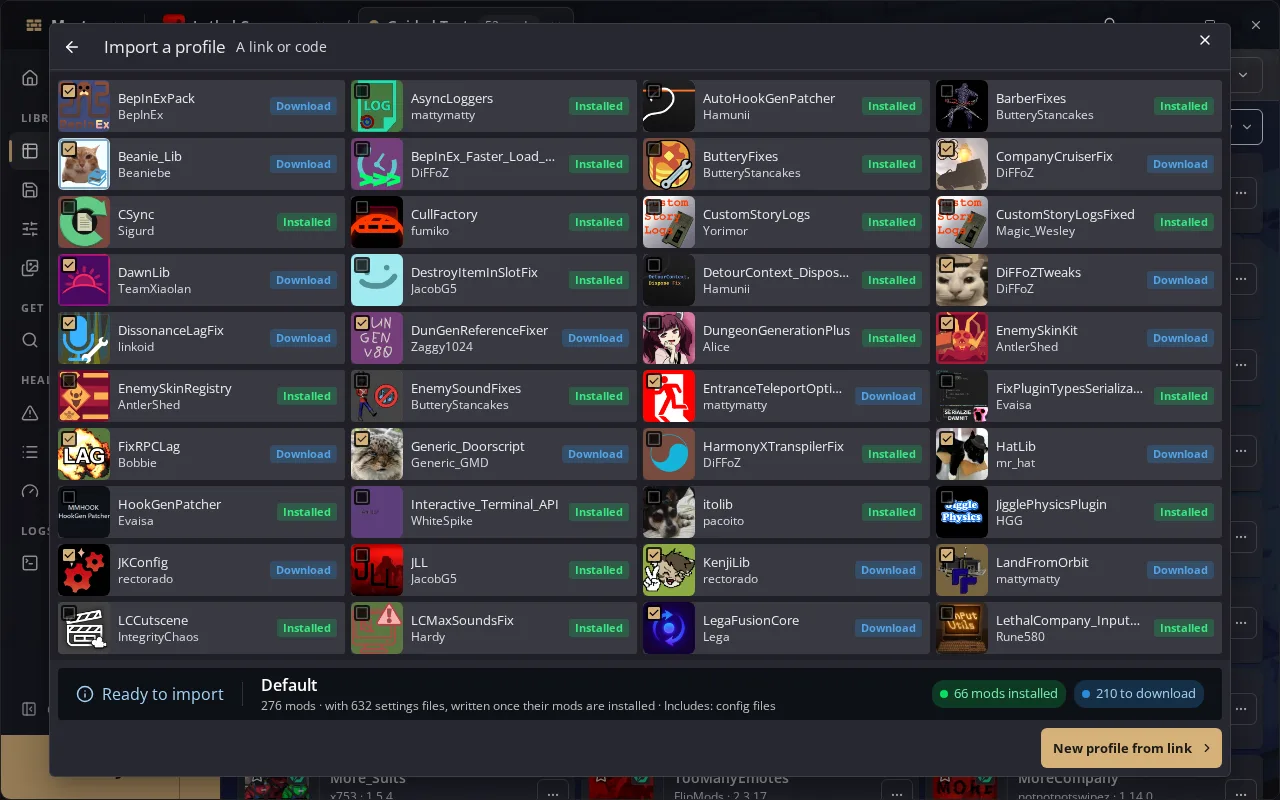
- The import preview shows each mod's icon
- Importing a file also reads Thunderstore modpack zips and local profile folders, and the file picker offers .r2z files and modpacks
Games and browsing
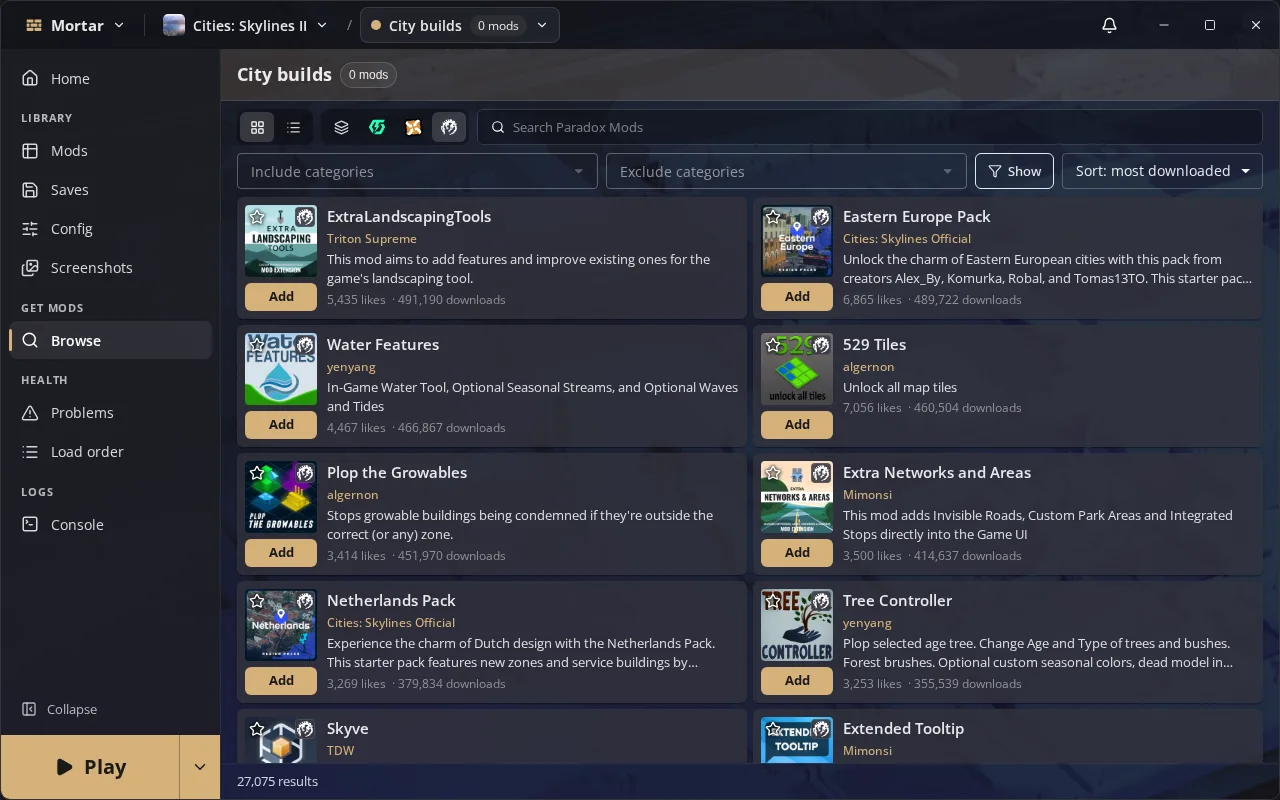
- Paradox Mods for Cities: Skylines II: search, install, updates and requirements, with each profile's mods placed in the game's own Mods folder
- Save folders for 46 more Unity games, so their saves list and back up
- A page of Browse results fills the window
- All sources sorted by downloads or by last update is one ranked list
- A link to a mod opens the Mods list filtered to that mod
Crashes and memory
- After a game crashes, its crash card also reads CatLib's crash report and opens its folder, and on Windows the Windows event log
- When a game started directly crashes, the end of its output goes into the run's log, and a mod named in a .NET exception there is blamed on the crash card
- Mortar's own process holds about a third of the memory at idle that it did, returning what start-up used once it goes quiet
Profiles and settings
- A Size setting zooms the whole window, and the font list shows each font in its own face
- Each game can sync its profiles to the Mortar-wide folder, to a folder of its own, or not at all
- A game takes a list of extra mods folders instead of one
- Open profile folder in the Profile menu
- Home puts Saves beside Notes, with the changes since the last run below at full width
- The browser extension reports updates from every site Mortar installs from
Changed (12)
- Load order names missing dependencies in seconds instead of half a minute on a first visit
- Starting Mortar does less work: Content Patcher checks survive a moved data folder, overlay images are not decoded again, the weekly profile check waits until Mortar is idle, and the backdrop is resized once
- Thunderstore answers from the stored listing at once and refreshes it in the background, and Problems and Browse no longer decode the whole listing
- The tracked Nexus mods card shows at once from the last list and refreshes behind it
- The Launch menu on Home is called Tools, so it no longer reads as starting the game
- Share and Import close with their own X and have no Cancel or Close beside it, each Share destination is as tall as what it shows, and Last used sits in a tile's corner
- An import shows a progress bar while a link, code or file is read, and a link or code that cannot be read says what was wrong with it
- The mod list offers its Thunderstore format only for games modded from Thunderstore
- Problems shows the last SMAPI answer at once and asks smapi.io again in the background, and an empty tab says what it is checking
- Opening Game Select runs no Problems or Updates checks, and Storage measures disk use only once its section is on screen
- The category pickers say why categories could not load instead of that the site has none
- The integrity check shows its outcome as a green, warning or red result
Fixed (18)
- Mortar reopens maximised when it was closed maximised, at the right size instead of past the screen's edges
- Buttons, lists and menus use the font chosen in Appearance, and a config's Sections list is wide enough for its names
- When some update checks do not answer in time, a notice says so with Check again and Dismiss, and a slow smapi.io batch is asked again before its mods are left unknown
- BepInEx mods keep their manifest.json, icon.png and readme, so in-game mod menus such as Cat Mail Co.'s can read them, and no stray .complete file is added
- Thunderstore packages whose names differ only in case no longer replace each other, and the live package wins over a deprecated twin
- An import skips packages the Thunderstore index cannot resolve instead of failing
- A game without a save folder has no Saves page, no Saves card on Home, no Save backups page, and no warning before Play
- Report to author opens the GitHub issue with as much of the report as fits in its link, and says to paste the rest
- Open log on an error opens Mortar's own log, and only a failed game launch opens the game's
- Opening a profile of another game, from an import or elsewhere, switches the game in the title bar to match
- Windows Task Manager lists Mortar by name instead of by a description
- Category chips show their full names, the caret sits right after them, and Enter picks the first match
- A search handed from Mortar's settings to a game's settings no longer says nothing matches
- Accent cards no longer show a radio button, the background preview draws on Linux, and text over game art keeps a dark edge
- Settings pages end with a gap, and launchers sit in two columns
- Before you play names a disabled requirement by the copy you have installed
- Two sites that share a driver no longer show each other's top mods
- The command line labels only mods in the Tray folder as (Tray)